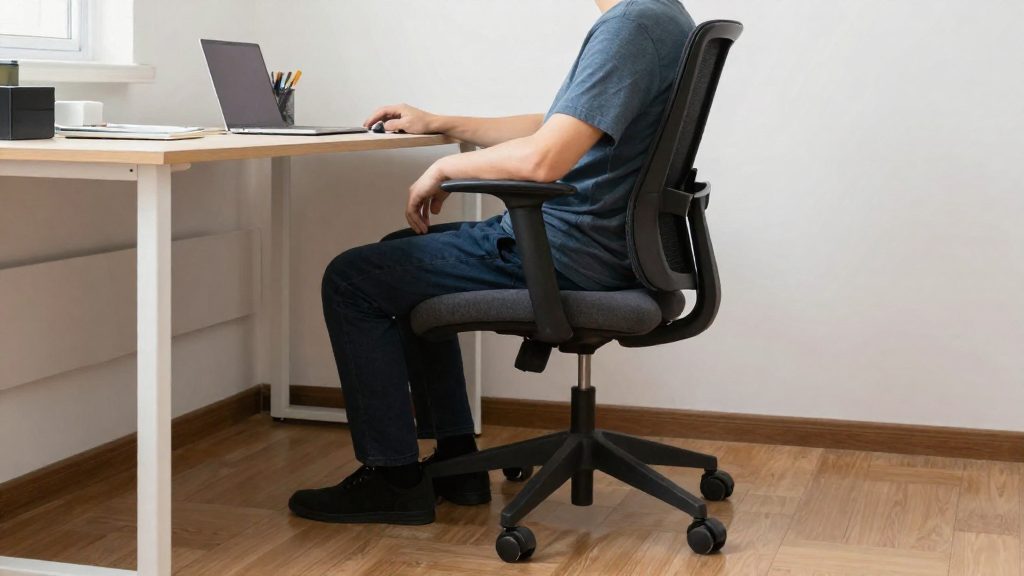
Sitting for hours strains the lower back mainly because the body stays in one position while the spine receives little support and no movement. According to the CCOHS (Canadian Centre for Occupational Health and Safety, 2022), the lower back should rest against lumbar support that fits the natural curve of the spine, and seated work should not continue for more than 50 minutes at a stretch. When the chair, screen, or desk is poorly set up, the back tends to slump or lean forward, which adds strain over a full workday.
Why does sitting for hours strain the lower back?
Static loading is the core problem. A fixed seated posture keeps the same muscles and spinal segments working without interruption, and the lower back receives no change in load. The CCHST (2022) recommends changing position often, and sets a limit of 50 minutes of continuous sitting.
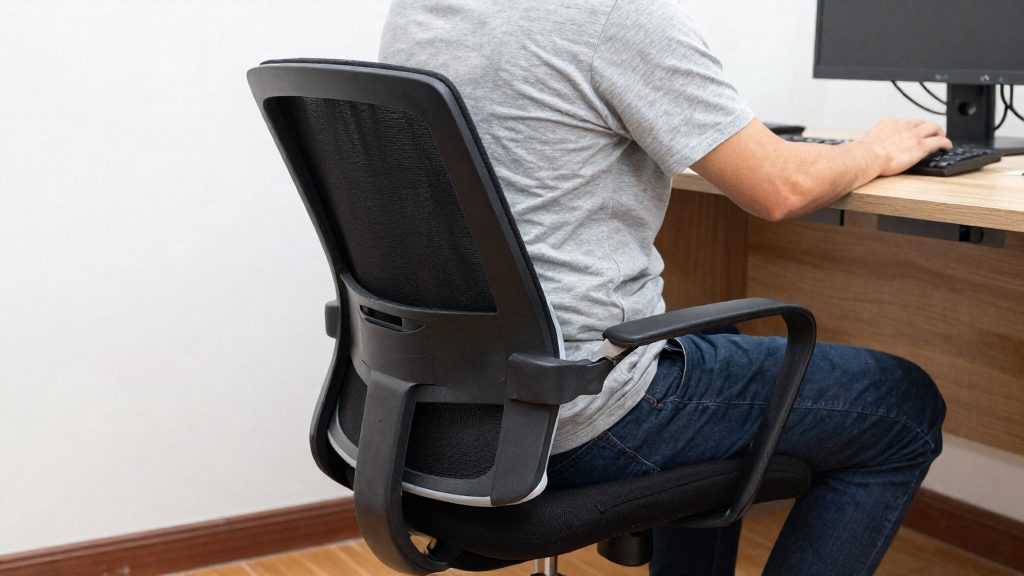
Loss of lumbar support is the second factor. Without support in the lower back, the spine tends to flatten or round, which shifts weight onto the lower discs and muscles. The CCHST (2022) advises keeping the back straight, with the lumbar support placed in the curve of the lower back. A seat that is too deep pushes the back away from the backrest. The CCHST recommends leaving a gap of about three fingers between the back of the knee and the front edge of the seat.
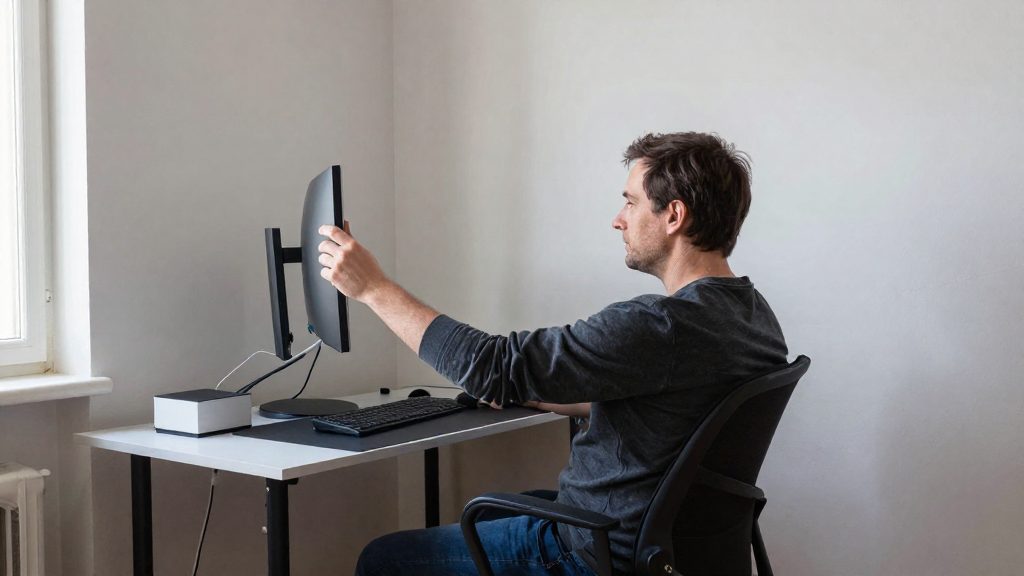
Poor screen placement is the third factor. A screen that sits too low or too far away pulls the head and upper body forward. The reference values below describe a neutral seated position.
| Position element | Reference value |
|---|---|
| Hips, knees, ankles | 90° or slightly more |
| Knees | At hip height or lower |
| Feet | Flat on the floor or on a footrest |
| Elbows | About 90°, close to the body |
| Screen viewing distance | 40 to 74 cm |
| Screen angle | About 15° below horizontal eye line |
| Top of screen | Not above eye level |
| Seat height | About one quarter of body height (estimate only) |
How to adjust your chair to relieve lower back pain?
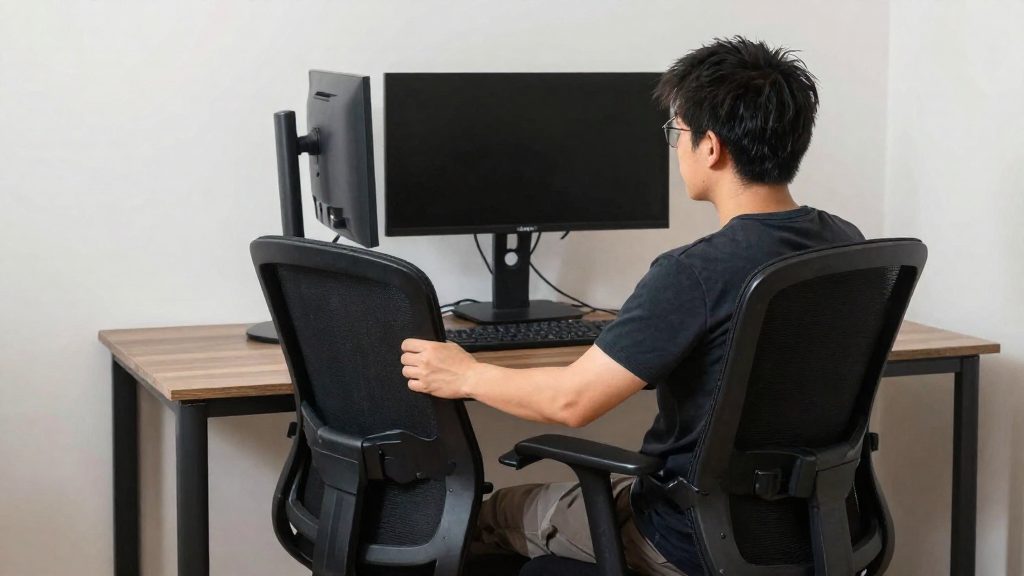
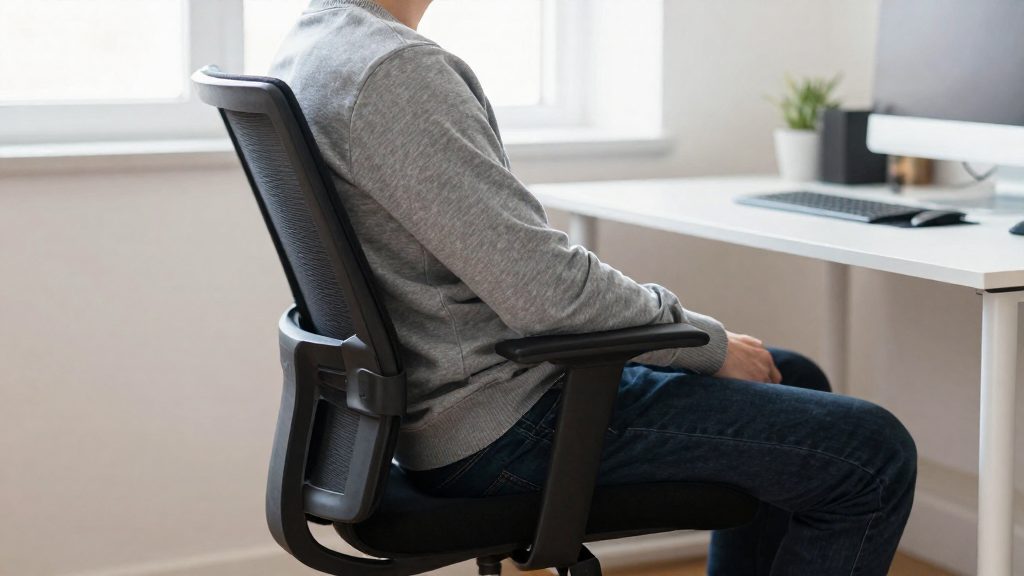
Adjusting your chair means setting the seat height, the lumbar support and the leg angles so your lower back is supported without slouching or arching. According to CCHST (Canadian Centre for Occupational Health and Safety, 2022), a good sitting posture keeps the hips, knees and ankles at 90° or slightly more, with the feet flat on the floor or on a footrest. Adjust the chair in that order, starting with the seat.
Set the seat height
The seat height should be about one quarter of the user’s height, according to CCHST (2021). This is an estimate only. Check the result against the leg position: the knees should sit at hip level or lower, and the feet should rest flat. If your feet do not reach the floor, use a footrest rather than letting your legs hang.
Adjust the backrest and lumbar support
Keep your back straight and position the lumbar support in the curve of your lower back. CCHST (2021) specifies that the backrest should offer good lumbar support without pressure points that restrict blood circulation. Leave a gap of about three fingers between the back of your knee and the front edge of the seat, so the edge does not press on the back of your legs.
Position your arms and screen
Bend your elbows to about 90°, held close to your body. Place the work object (screen or document) between 10° and 30° below direct line of sight, according to CCHST (2022). For a screen, CCHST (2022) gives these targets:
| Setting | Target |
|---|---|
| Viewing distance | 40 to 74 cm |
| Screen angle | About 15° below horizontal eye level |
| Top of screen | Not above eye level |
Where to place the screen and keyboard?
The Canadian Centre for Occupational Health and Safety (CCHST, 2022) recommends a viewing distance of 40 to 74 cm between your eyes and the screen, with the screen about 15° below horizontal eye level. Its top edge should not rise above eye level. For the keyboard, the same guidance keeps the elbows bent at about 90° and close to the body, which sets the working height relative to your seat and desk.
| Element | Recommended placement | Source |
|---|---|---|
| Viewing distance | 40 to 74 cm | CCHST (2022-11-29) |
| Screen angle | About 15° below horizontal gaze | CCHST (2022-11-29) |
| Top edge of screen | No higher than eye level | CCHST (2022-11-29) |
| Work object (screen, documents) | 10° to 30° below direct line of sight | CCHST (2022-09-28) |
| Elbows | About 90°, close to the body | CCHST (2022-09-28) |
Setting the screen position
Sit with your back supported, then look straight ahead without moving your head. Your gaze should land on the upper part of the screen, not the top edge. If you must tilt your head back to read the top line, raise the screen or adjust its height. If you must lower your head to read the bottom, lower the screen. Position the screen directly in front of you rather than off to one side, because a sideways screen encourages twisting of the neck and trunk.
Positioning the keyboard and mouse
Place the keyboard in front of you so your forearms can rest with the elbows at about 90°, kept close to the body. If your elbows drift away from your sides or your shoulders rise, the keyboard is probably too far away or too high. Keep the mouse at the same level as the keyboard, within the same reach zone, so you do not stretch the arm to use it.
Adjusting for documents
If you work from printed documents, position them using the same logic as the screen. The CCHST places work objects 10° to 30° below direct line of sight, so a document holder set at this angle reduces repeated head movements between the page and the screen.
Do you need a sit-stand desk?
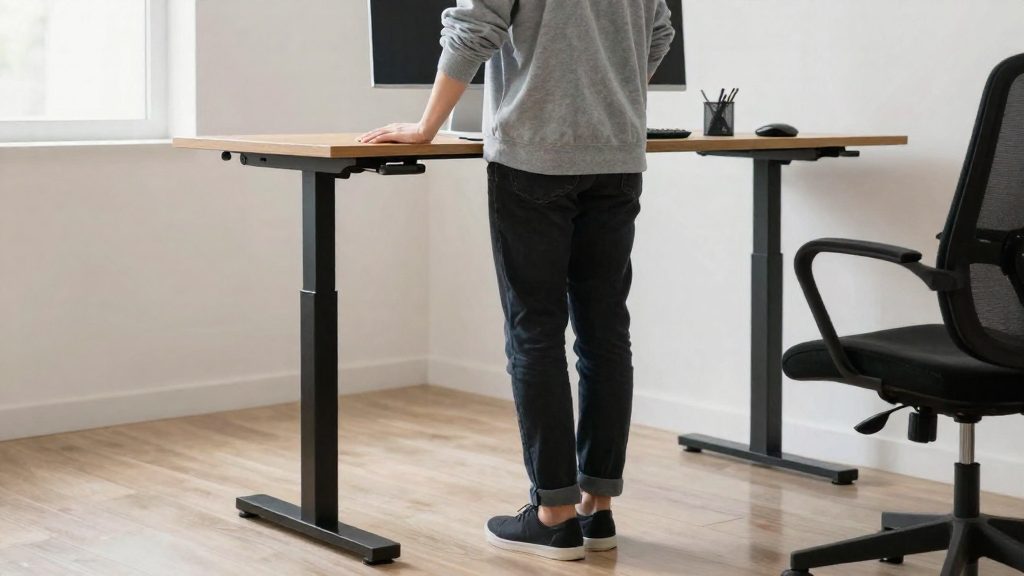
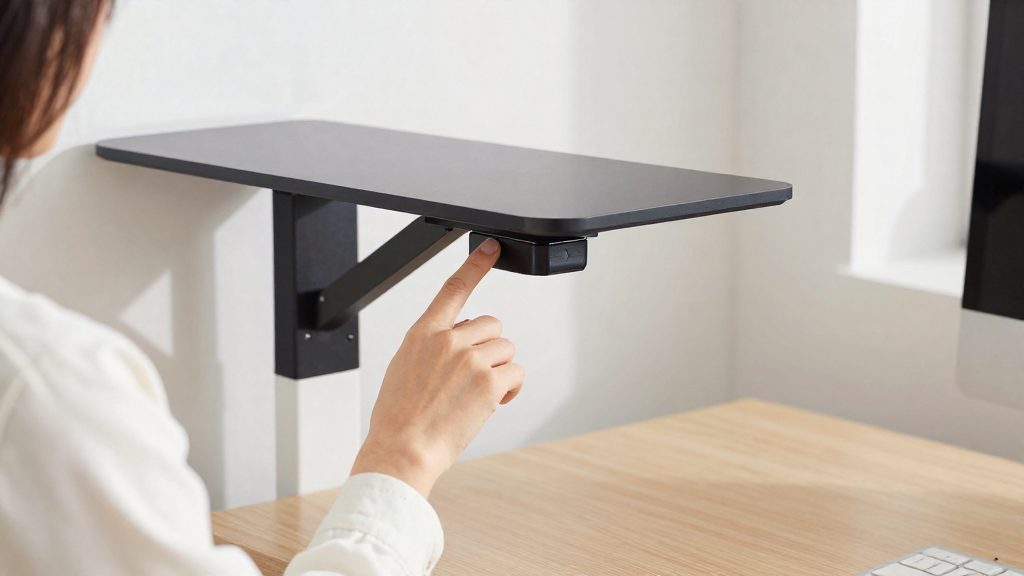
A sit-stand desk is not required to reduce lower back strain, but it makes it easier to change position without leaving your workstation. The Canadian Centre for Occupational Health and Safety (CCHST, 2022) recommends frequent position changes rather than long periods in one posture, so the desk is most useful when it makes switching simple. Its value depends on how often you actually alternate.
Setting up the standing position
With the desk raised, the CCHST (2022) places the work surface at roughly elbow height, with elbows bent at about 90° and close to the body. Check these points at standing height:
- Footing: use a footrest, or shift your weight from one leg to the other from time to time.
- Footwear and flooring: wear supportive shoes if needed, and add an anti-fatigue mat when standing for long periods.
- Screen: the top of the screen should not rise above eye level, and the screen sits about 15° below the horizontal line of sight.
Choosing a switching rhythm
The CCHST (2022) lists standing intervals of 20, 30, 45 or 60 minutes per position. Seated periods should not exceed 50 minutes at a time, so intervals of 45 minutes or less fit that limit most easily.
| Interval per position | Practical use |
|---|---|
| 20 minutes | Shortest listed interval; a possible starting point while the body adapts |
| 30 minutes | Mixed tasks, such as calls alternating with reading |
| 45 minutes | Fits the 50-minute seated limit with a margin |
| 60 minutes | Exceeds the 50-minute seated limit: for sitting, change position before 50 minutes |
Allow your body time to adapt. Begin with short standing periods and extend them gradually.
How often should you take breaks?
According to CCHST (2022), you should not stay seated for more than 50 minutes at a time, and you should change position often while keeping the recommended joint angles. In practice, this means a position change at least once in every 50-minute work block. The official sources consulted do not specify how long each movement break should last, so the guidance below covers position changes only.
Sit-stand desks give you a structured way to follow this limit. CCHST (2022) lists switching intervals of 20, 30, 45 or 60 minutes per position, with the longest listed interval being 60 minutes per position; since seated blocks should not exceed 50 minutes, change position before the 50-minute mark. Let your body adapt before you increase your standing time.
| Guideline | Recommendation | Source |
|---|---|---|
| Maximum continuous sitting | 50 minutes | CCHST (2022) |
| Sit-stand switching intervals | 20, 30, 45 or 60 minutes per position | CCHST (2022) |
| Longest seated period before changing position | 50 minutes (the 60-minute schedule must be adapted to this limit) | CCHST (2022) |
When you stand, place the work surface at roughly elbow height. Shift your weight from one leg to the other from time to time, or rest one foot on a footrest. If needed, wear supportive shoes and stand on an anti-fatigue mat (CCHST, 2022).
What stretches should you do at the desk?
Desk stretches work best as short breaks spread across the day. According to the CCHST (2022), do not stay seated for more than 50 minutes in a row, and change position often while keeping the recommended angles. Scheduling a short stretch at the end of each sitting block helps you meet that limit and gives you a moment to reset your posture.
Check your position before and after each break against these reference values:
| Setup element | Recommended value (CCHST) |
|---|---|
| Hips, knees, ankles | 90° or slightly more |
| Knee height | At hip level or lower |
| Gap between back of knee and seat edge | About three fingers |
| Elbow angle | About 90°, close to the body |
| Screen or document position | 10° to 30° below direct line of sight |
| Viewing distance | 40 to 74 cm |
| Screen tilt | About 15° below horizontal eye line, top not above eye level |
Suitable movements for a seated break include the following:
- Seated pelvic tilt: sit upright with feet flat, rock the pelvis slightly forward to lengthen the lower back, then return to a neutral curve. Repeat slowly.
- Seated trunk rotation: keep both sit bones on the chair, hold the backrest, and turn the upper body gently to one side, then the other.
- Standing hip flexor stretch: stand beside the desk, place one hand on it, step one leg back, and shift the hips slightly forward while keeping the back straight.
If you use a sit-stand desk, the CCHST advises setting the work surface at about elbow height when standing. Use a footrest, or shift your weight from one leg to the other from time to time.
What to do when working from home without ergonomic furniture?
You can reduce lower back strain at home without buying new equipment by adjusting the chair you already have, raising your screen, and changing position regularly. According to the CCHST (2022), good seated posture keeps your hips, knees and ankles at 90° or slightly more, with your knees level with or below your hips and your feet flat on the floor or on a footrest.
Adjust your chair
- Lumbar support: Sit back so your lower back meets the backrest, and place a small cushion or rolled towel in the curve of your lower back. The CCHST (2022) recommends keeping your back straight with support in that curve.
- Seat edge: Leave about three finger-widths between the back of your knee and the front edge of the seat (CCHST, 2022).
- Arms: Bend your elbows to about 90°, close to your body, to limit shoulder and neck tension.
- Feet: If your feet do not reach the floor, rest them on a stable footrest or a sturdy box.
Position your screen
- Place the screen 10° to 30° below your direct line of sight (CCHST, 2022).
- Keep the top of the screen at or below eye level, and set the viewing distance between 40 and 74 cm (CCHST, 2022).
- If you use a laptop, raise it on a stable stack of books or a box, and use a separate keyboard so the screen height does not force you to hunch.
Change position regularly
The CCHST (2022) advises against sitting for more than 50 minutes at a time. When you have a height-adjustable setup, the CCHST (2022) suggests alternating positions on a schedule such as:
| Interval per position | Pattern |
|---|---|
| 20 or 30 minutes | Alternate sitting and standing |
| 45 minutes | Longer sitting block (under 50 minutes) followed by standing |
Stand at a counter or table whose surface sits roughly at elbow height. The CCHST (2022) also recommends giving your body time to adapt when you start alternating positions.
Frequently asked questions
How often should I get up from my chair during a workday?
Plan to change position before you reach 50 minutes of continuous sitting, as the CCOHS (2022) sets that limit. Standing for a short period, shifting your posture, or walking a few steps all count as a change of position.
Should I slide forward to reach the floor, or keep my back against the chair?
Keep your back against the backrest, with the lumbar support sitting in the curve of your lower back. If your knees are too close to the seat edge, adjust the seat depth rather than leaning away from the backrest. The CCOHS (2022) recommends a gap of about three fingers between the back of the knee and the front edge of the seat.
How far should my screen be, and how high should it sit?
Place the screen at a viewing distance of 40 to 74 cm, tilted about 15° below your horizontal eye line. The top edge should not rise above eye level, according to the CCOHS (2022).