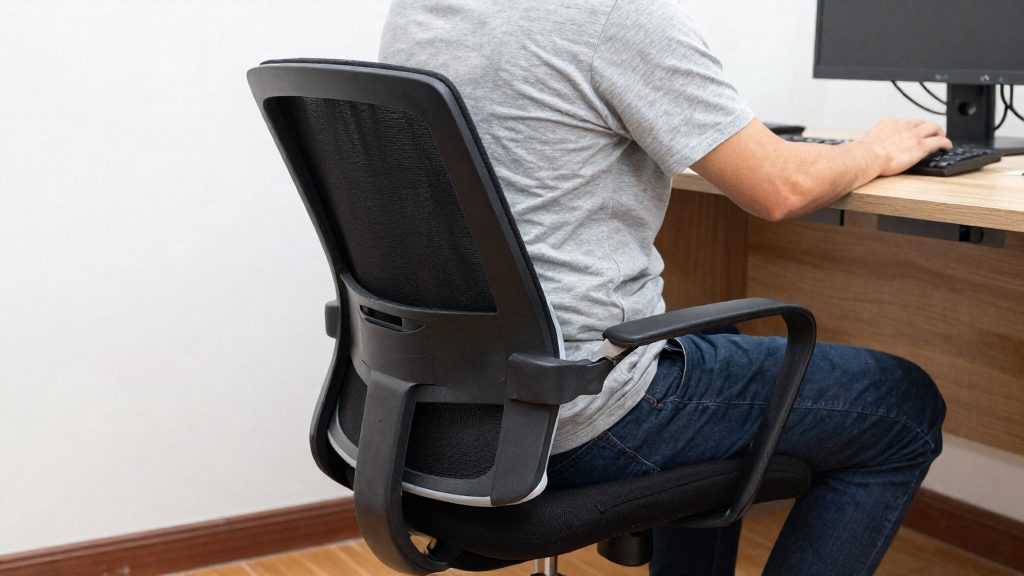
Mouse syndrome refers to tendinitis of the upper limbs caused by prolonged, repetitive, and non-ergonomic use of a computer mouse. According to the Office québécois de la langue française (OQLF), it affects the tendons of the shoulder, elbow, and forearm, and can extend to the neck if posture is not corrected. It is a tendon condition rather than a nerve compression, which distinguishes it from carpal tunnel syndrome.
What is mouse syndrome?
Tendinitis is an inflammation of a tendon, the fibrous tissue that connects muscle to bone. In mouse syndrome, this inflammation develops because the same small movements are repeated for long periods, often with the forearm and wrist held in one position. The OQLF defines it as tendinitis of the upper limbs caused by prolonged, repetitive and non-ergonomic mouse use.
The table below compares mouse syndrome with carpal tunnel syndrome, which is often confused with it.
| Criterion | Mouse syndrome | Carpal tunnel syndrome |
|---|---|---|
| Underlying mechanism | Inflammation of a tendon | Compression of a nerve |
| Structures affected | Tendons of the shoulder, elbow, and forearm, which can extend to the neck | Nerve, through compression |
According to the Canadian Centre for Occupational Health and Safety (CCOHS), the symptoms of tendinitis include sharp or dull pain, weakness, swelling, and a burning sensation. The pain can occur during work or at rest, and it worsens if it is not treated.
The CCOHS lists the following risk factors for this type of disorder:
- Repetitive movements of the wrist and shoulder
- Fixed or constraining postures
- Continuous repetition of the same task
- Gripping or forceful exertion
- A work pace with too little recovery time
- Stress or muscle tension

What are the symptoms of mouse-related tendonitis?
Mouse-related tendonitis is inflammation of the tendons of the upper limbs, caused by prolonged, repetitive and non-ergonomic mouse use. According to the Office québécois de la langue française (Vitrine linguistique), it affects the tendons of the shoulder, elbow and forearm, and can extend to the neck if posture is not corrected. It differs from carpal tunnel syndrome, which results from nerve compression.
According to the Canadian Centre for Occupational Health and Safety (CCOHS), tendonitis is an inflammation of a tendon. Its main symptoms are:
| Symptom | Description (CCOHS) |
|---|---|
| Pain | Sharp or dull, may occur during work or at rest, and worsens if untreated |
| Weakness | Loss of strength in the affected limb |
| Swelling | Enlargement around the affected tendon |
| Burning sensation | A burning feeling in the affected area |
Symptoms often follow a pattern. Selon le CCOHS, la douleur peut survenir pendant le travail ou au repos et s’aggrave si elle n’est pas traitée. Même une douleur qui n’apparaît que pendant l’utilisation de la souris est un signal pour se reposer, et non une raison de continuer. Keeping a short written log of when each symptom starts, how long it lasts and which task triggered it helps you bring precise information to a physician or occupational health professional.
Why does mouse use load the tendons?
A mouse keeps the forearm, wrist, and shoulder working at the same time, usually with little variation. The tendons that connect muscle to bone in these areas absorb each repeated pull and grip. When the load is repeated, sustained, or forceful, the tendon has less time to recover between movements. According to the Canadian Centre for Occupational Health and Safety (CCOHS), tendinitis is an inflammation of a tendon, and the risk rises with the specific conditions below.
The Office québécois de la langue française describes the strain as affecting the tendons of the shoulder, elbow, and forearm, and it can extend to the neck if posture is not corrected. The problem comes from prolonged, repetitive and non-ergonomic use: the combination of movement, position, and effort matters, not just the device.
| Risk factor (CCOHS) | How it appears during mouse use |
|---|---|
| Repetitive wrist and shoulder movements | Continuous clicking, scrolling, and dragging with the same joints |
| Fixed or constraining postures | Arm held out to the side, wrist bent, or forearm unsupported for long periods |
| Forceful gripping | Holding the mouse tightly instead of guiding it lightly |
| Continuous repetition with too little recovery | Uninterrupted sessions with no change in task or position |
| Stress and muscle tension | Raised shoulders and clenched forearm muscles while concentrating |
These factors often stack. A tense, forceful grip on a mouse placed too far away adds load to the same tendons that are already repeating the same motion. For this reason, the CCOHS links prevention to changing the workstation and work pattern, not only to the device.
Risk factors at the desk and while working remotely
Mouse syndrome, as the Office québécois de la langue française (OQLF) defines it, is tendon inflammation of the upper limbs caused by prolonged, repetitive and non-ergonomic mouse use. The Canadian Centre for Occupational Health and Safety (CCOHS) lists the general risk factors for this type of repetitive strain. Several of them are present in a typical home or office setup where the mouse is used for hours each day.
Biomechanical factors
- Repetitive movements of the wrist and shoulder
- Fixed or constraining postures held for long periods
- Continuous repetition without breaks within a task
- Gripping or applying force
Work organisation factors
- A work pace with too little recovery time between tasks
- Stress and muscle tension, which the CCOHS includes among the risk factors
Where the strain appears
The OQLF states that mouse syndrome affects the tendons of the shoulder, elbow and forearm, and can extend to the neck if posture is not corrected. It differs from carpal tunnel syndrome, which results from nerve compression, so the symptoms and the affected structures are not the same.
The CCOHS describes the symptoms of tendinitis as sharp or dull pain, weakness, swelling and a burning sensation. Pain can occur during work or at rest, and it worsens if it is not treated.
| Signal | What the CCOHS says |
|---|---|
| Early pain or tingling | A signal to rest |
| Pain that persists or worsens | The injury can become lasting, and sometimes irreversible |

Setting Up Your Workstation to Relieve the Wrist
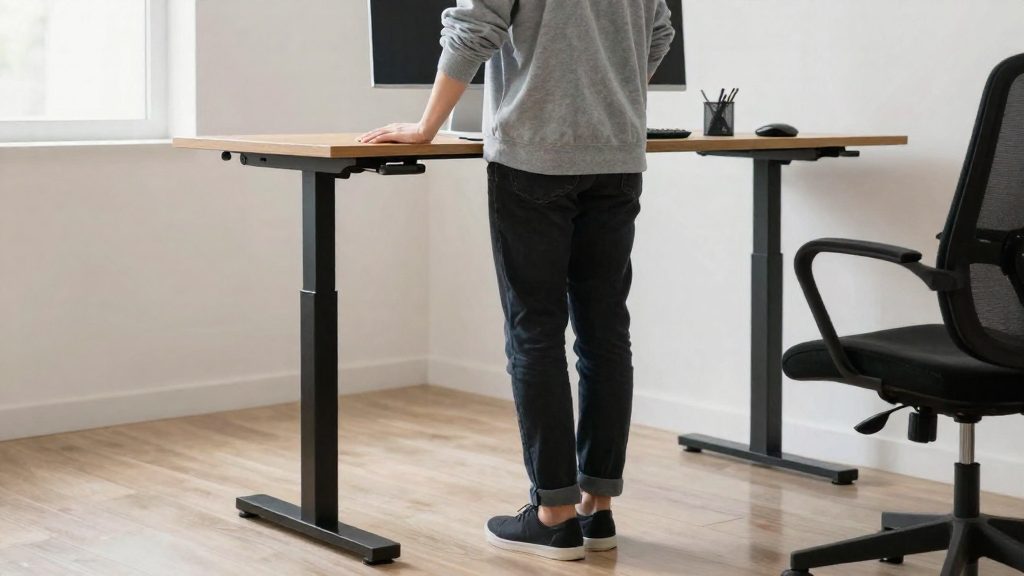
Adjusting your workstation is one of the most direct ways to reduce strain from prolonged mouse use. The Canadian Centre for Occupational Health and Safety (CCOHS) recommends an adjustable workstation sized to the worker, which allows you to alternate between sitting and standing. Setup changes work best alongside breaks, task rotation, and training in how to adjust the workspace.
Measures recommended by the CCOHS
| Measure | What it addresses |
|---|---|
| Adjustable workstation sized to the worker | Reduces fixed or constraining postures of the wrist and shoulder |
| Alternating sitting and standing | Interrupts static postures held for long periods |
| Scheduled breaks | Limits work rhythms with too little recovery time |
| Training in workstation adjustment | Lets you set up the desk to fit your own body |
| Task rotation | Reduces continuous repetition of the same movement |
Positioning the mouse
- Keep the mouse within easy reach so your arm does not stretch across the desk.
- Keep the wrist in a neutral position rather than bent sideways or resting on a hard edge.
- Relax the shoulders and keep the forearm supported on the desk surface.
- Limit grip force. The CCOHS lists forceful gripping as a risk factor, so hold the mouse lightly and avoid pressing the buttons harder than needed.
Setup steps
- Adjust chair and desk height so the keyboard and mouse sit at a comfortable working height for your body size.
- Place the mouse next to the keyboard, at the same level, so the arm stays close to the body.
- Test alternating between sitting and standing, and check that the desk surface allows both positions.
- Set a pause schedule and vary your tasks so the same wrist movement is not repeated for long stretches.
- Review the setup if tension in the wrist, forearm, shoulder, or neck returns.
Breaks and stretches: what to do every day
Daily habits matter most when they respond to early warning signs and to the risk factors that cause mouse-related tendon strain. According to the Canadian Centre for Occupational Health and Safety (CCOHS), early pain or tingling is a signal to rest, and if it is ignored, the injury can become lasting and sometimes irreversible. The official sources consulted do not specify a required break frequency or stretch duration, so the guidance below describes methods rather than fixed timings.
Act on early signals
Tendinitis, as the CCOHS describes it, is inflammation of a tendon. Watch for:
- Sharp or dull pain
- Weakness
- Swelling
- A burning sensation
Pain can appear during work or at rest, and it worsens if untreated. Pain or tingling that appears early in a session should prompt you to stop and rest the affected area before continuing.
Reduce the daily risk factors
The CCOHS lists the following risk factors. Each one has a practical counter-measure you can apply during the workday.
| Risk factor (CCOHS) | Daily adjustment |
|---|---|
| Repetitive wrist and shoulder movements | Rotate tasks so the mouse is not the only tool in use |
| Fixed or constraining postures | Alternate sitting and standing at an adjustable workstation |
| Continuous repetition without a break | Take scheduled pauses away from the mouse |
| Gripping or forceful effort | Hold the mouse with a relaxed grip and avoid pressing hard on the clicks |
| Work pace with too little recovery | Build recovery time into the schedule rather than working through it |
| Stress and muscle tension | Check shoulders and forearm for tension during pauses and release it deliberately |
Use a simple movement routine during pauses
Pauses are most useful when you move rather than just stop. A short routine you can do at your desk:
- Take your hand off the mouse and let the fingers and wrist relax.
- Open and close the fingers slowly, then straighten the wrist in a neutral position.
- Roll the shoulders backward and forward, keeping the movement small.
- Lean back slightly, keep the neck relaxed, and turn the head gently from side to side.
- Stop any movement that increases pain, and report persistent symptoms to a health professional.
Set up the workstation for movement
The CCOHS recommends adjustable workstations sized to the worker. An adjustable setup makes it practical to change position during the day, which supports the alternation between sitting and standing that the CCOHS identifies as a preventive measure. Pair it with task rotation and training on how to adjust the workstation, both of which the CCOHS also recommends.
When to see a doctor
Consult a healthcare professional if you have pain, weakness, swelling or burning in the shoulder, elbow or forearm that you associate with mouse use. The Office québécois de la langue française (OQLF) describes this condition, called mouse syndrome, as tendinitis of the upper limbs caused by prolonged, repetitive and non-ergonomic mouse use. According to the Canadian Centre for Occupational Health and Safety (CCOHS), tendinitis is an inflammation of a tendon, and its pain can occur during work or at rest.
Symptoms to report
- Pain, sharp or dull, in the shoulder, elbow or forearm
- Weakness in the affected arm or hand
- Swelling around the painful area
- Burning sensation in the affected area
- Pain at rest, not only during computer use
- Neck pain, since the OQLF notes that mouse syndrome can extend to the neck if posture is not corrected
Why a diagnosis matters
Tingling is a signal to rest, and only a health professional can tell whether the cause is tendon-related or nerve-related. Mouse syndrome involves tendons, whereas carpal tunnel syndrome results from nerve compression, as the OQLF explains.
| Condition | Mechanism | Body area named in consulted sources |
|---|---|---|
| Mouse syndrome (tendinitis) | Tendon inflammation from repetitive mouse use | Shoulder, elbow, forearm, possibly neck |
| Carpal tunnel syndrome | Compression of a nerve | Not specified in the consulted sources |
Information to note before the appointment
- Where the pain is located and whether it spreads
- Whether symptoms occur during work, at rest, or both
- How long symptoms have lasted and whether they are getting worse
- Your daily mouse hours and typical posture at the desk
The official sources consulted do not specify a number of days after which symptoms should be assessed. Si la douleur, les picotements, la faiblesse, le gonflement ou la sensation de brûlure apparaissent, arrêtez la tâche répétitive et reposez le membre. Consultez un professionnel de la santé sans attendre que les symptômes disparaissent d’eux-mêmes, surtout s’ils persistent, s’aggravent ou surviennent au repos. Si le problème est lié au travail, parlez-en aussi à votre employeur, au comité de santé et sécurité ou à votre syndicat.
Frequently asked questions
Is mouse syndrome the same as carpal tunnel syndrome?
No. According to the OQLF, mouse syndrome is a tendon inflammation of the upper limbs, whereas carpal tunnel syndrome results from nerve compression, so the two conditions have different causes.
Does the pain only appear while I am using the mouse?
No. According to the CCOHS, tendinitis pain can occur during work or at rest, and it worsens if it is not treated.
Which changes to my desk setup should I make first?
The CCOHS recommends an adjustable workstation sized to your height, with the option to alternate between sitting and standing, along with regular breaks. It also suggests task rotation to reduce how long you perform the same repetitive movements.