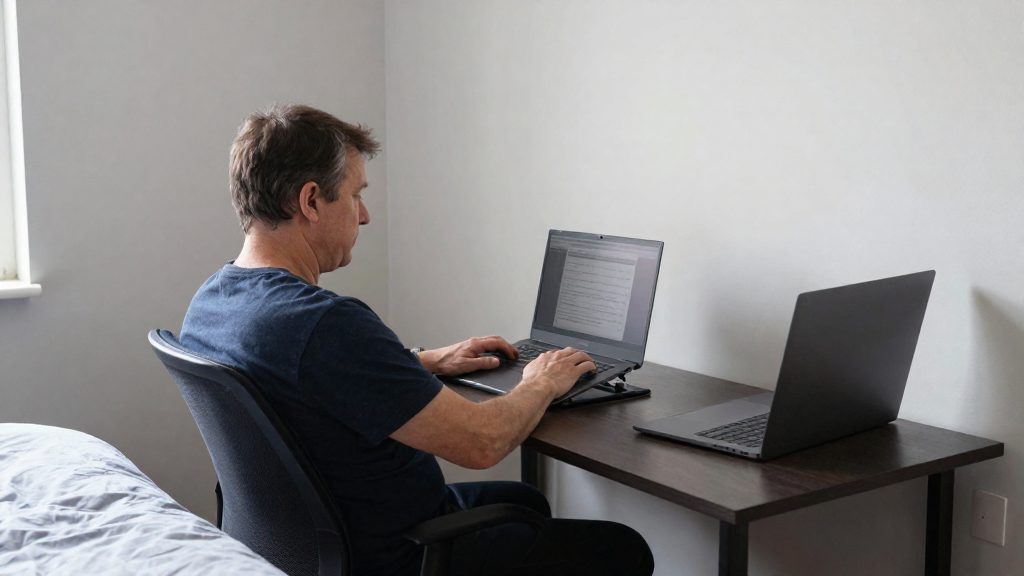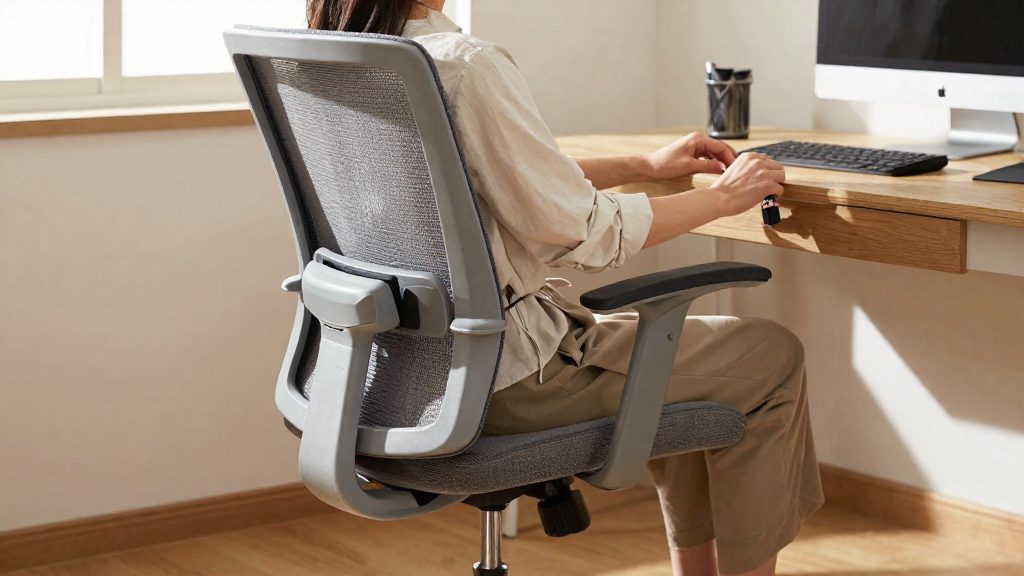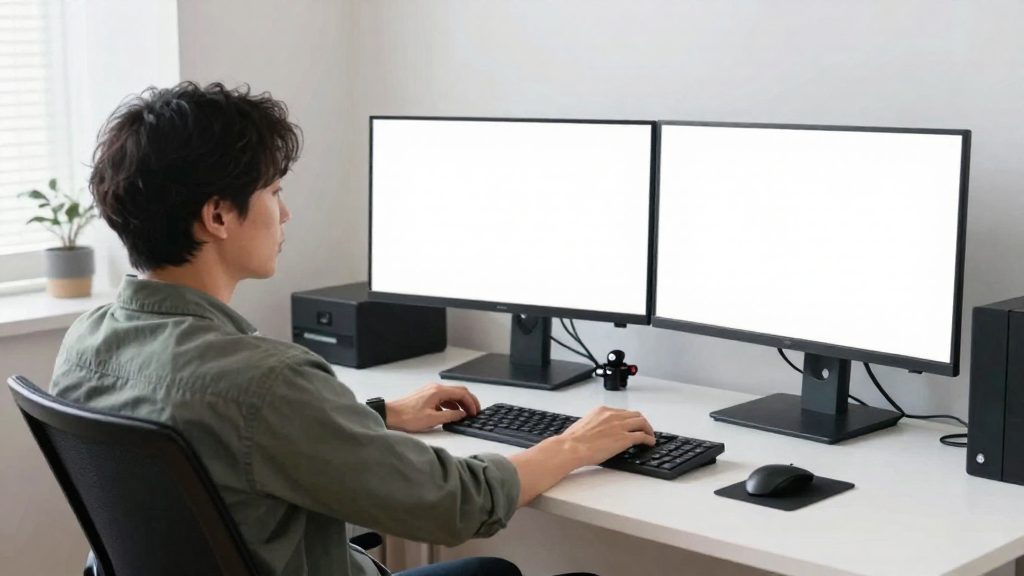
Desk work makes shoulders tense mainly because it holds the same muscles under load for long periods, in a narrow range of postures. According to CDC/NIOSH, musculoskeletal disorders can result from force, vibration, repetitive motion or awkward postures, and the risk rises with the intensity, frequency or duration of the activity. At a desk, three mechanisms account for most shoulder tension: static muscle loading, forward head posture with rounded shoulders, and sustained arm elevation to reach the mouse and keyboard.
Why does desk work make your shoulders tense?
Typical desk tasks involve relatively little force, so the load comes mainly from holding one posture for hours and from small, repeated movements. The load comes from holding one posture for hours and from small, repeated movements.
Static muscle loading during prolonged sitting and typing
A muscle that holds a position without moving remains under load. When you sit and type for long periods, the muscles that stabilize the shoulder blades and support the upper arms stay contracted with little variation. Because the position changes little, the load is continuous rather than intermittent. In the risk factors listed by CDC/NIOSH, this is the duration element: the longer the activity continues, the greater the exposure.
Forward head and rounded shoulder posture mechanics
Holding the head forward of the shoulders is an awkward posture, which CDC/NIOSH lists as a risk factor for musculoskeletal disorders. To keep the eyes on the screen, the shoulders usually round forward to follow the trunk. This is an awkward posture, one of the risk factors named by CDC/NIOSH. The effect is cumulative: the same position is maintained across a whole working session, not only at its start.
Sustained arm elevation from mouse and keyboard reach
When the mouse or keyboard sits far from the body, the arm must lift or extend away from the torso to reach it. The shoulder then works without support for as long as the hand stays on the device. Repeated clicking and scrolling add repetitive motion on top of the held position, so two risk factors combine.
| Mechanism | Desk trigger | Risk factor named by CDC/NIOSH |
|---|---|---|
| Static muscle loading | Fixed seated posture during long typing sessions | Duration of activity |
| Forward head, rounded shoulders | Screen or head held ahead of the trunk | Awkward postures |
| Sustained arm elevation | Input devices placed beyond comfortable arm reach | Awkward postures, repetitive motion |
Shoulder tension at a desk is a workspace design problem as well as a matter of individual habits.

Quick desk setup fixes for your shoulders
Shoulder tension at a desk often comes from unsupported arms or reaches that are too long, so the shoulders lift to compensate. CDC/NIOSH defines ergonomics as designing work tasks and equipment to fit workers’ capabilities in order to prevent work-caused discomfort and injury. Applied to a desk, that principle means adjusting the chair, surface, and screen so your arms need less effort. The changes below require no new furniture.
Set armrests to support the forearms
Armrests should carry the weight of your forearms so your shoulders do not have to hold your arms up. Adjust them so your forearms rest on them lightly while your shoulders stay down, not raised toward your ears.
- Armrests too high push the shoulders upward.
- Armrests too low or missing leave the arms unsupported, so the upper shoulder muscles work to hold them.
If the armrests cannot reach the right position, adjust the chair height first, then set the armrests, and check again.
Place keyboard and mouse at elbow height
Bring the keyboard to a height where your elbows can stay close to your body and your forearms are comfortably supported, adjusting to what feels neutral for you. Place the mouse on the same level, directly beside the keyboard, so you do not stretch the arm sideways. A mouse set far to the side is a common source of reaching, so keep both input devices within a short forward reach. If you use a laptop, add an external keyboard and mouse rather than raising your arms to a built-in keyboard.
Place the monitor’s top edge at or slightly below eye level
Set the top edge of the screen at or slightly below eye level, and avoid placing it so high that you have to tilt your chin up to read. Place the screen at a distance where you can read the text without leaning forward. A monitor stand or riser is the simplest way to change height without moving the whole workstation.
| Adjustment | Target position | Effect on shoulders |
|---|---|---|
| Armrests | Forearms rest lightly, shoulders down | Removes the need to hold arms up |
| Keyboard | At elbow height, close to the body | Keeps elbows in and limits forward reach |
| Mouse | Beside the keyboard, same level | Avoids sideways stretching |
| Monitor | Top edge at or below eye level | Avoids raising shoulders to look up |
Shoulder rolls and shrugs
Short mobility movements performed at the desk can loosen the shoulder girdle without leaving your chair. Three movements cover most needs: backward shoulder rolls, shrugs with a brief hold, and arm circles. They are most useful during a long stretch of computer work. Keep the movements slow and controlled, and stop any that cause sharp pain.
Backward shoulder roll
- Sit upright with your feet flat on the floor and your arms relaxed at your sides.
- Lift both shoulders toward your ears, then draw them back and down in a continuous circular path.
- Keep the chin level. Do not arch the lower back to force a larger range.
- Repeat for a few slow cycles, then reverse the direction only if the movement feels comfortable. There is no source-backed number of repetitions, so stop before fatigue or discomfort.
Repeat the cycle a few times at regular intervals rather than in one long session. The goal is to restore movement in the shoulder girdle, not to reach a fixed number of repetitions.
Shrug with hold and release
- Raise both shoulders toward your ears.
- Hold the raised position briefly, while keeping the jaw and neck relaxed.
- Release slowly, letting the shoulders drop under their own weight.
The release matters as much as the lift. Dropping the shoulders quickly can cause a jolt, so lower them gradually and pause before the next repetition.
Arm circles for shoulder joint mobility
- Extend both arms out to the sides at shoulder height.
- Make small, controlled circles, then gradually widen them.
- Reverse direction partway through.
Keep the movement smooth, and avoid swinging the arms from the torso. Small circles work the joint through a controlled range, which is the purpose of this movement at a desk.
Neck and upper trap stretches
These stretches target the neck and the upper trapezius, the muscles that often hold tension during long periods at a screen. Each one is a static stretch: you move into position, hold it steadily, and release without bouncing. These stretches work best alongside adjustments to the workstation, not as a substitute for them.
Lateral neck stretch with hand assist
- Sit upright with both feet flat on the floor and your shoulders relaxed.
- Tilt your head toward one shoulder, bringing the ear toward that shoulder. Do not lift the shoulder to meet the ear.
- Place the hand on the same side on the side of your head, fingers resting above the ear. Let the hand add a gentle pull. Do not force the movement.
- Keep the opposite shoulder down.
- Return to upright, then repeat on the other side.
The source data does not specify a hold time for this stretch. Hold each side only as long as the sensation stays steady and comfortable, and release before it becomes sharp.
Chin tuck against forward head posture
- Sit tall and look straight ahead.
- Slide the head straight back, as if creating a small double chin. Keep the eyes level. The movement should be horizontal, not a downward nod.
- Hold briefly, then relax. Repeat slowly, without jerking the head.
The chin tuck is a controlled, small movement. Stop if it causes pain in the neck or headaches.
Upper trapezius stretch
- Sit tall. Reach the arm on one side down and place that hand under your thigh or on the seat.
- Tilt your head away from that side, so the opposite ear moves toward the opposite shoulder. You should feel a stretch along the side of the neck and the top of the shoulder.
- Keep the shoulders level and the movement gentle. Hold the position without bouncing, then return to upright and switch sides.
The source data does not give a specific hold duration. Keep the hold comfortable and steady, and repeat the stretch on each side.
Chest opener to counter slouching
A short chest opener can offset the rounded position that keyboard and screen work tends to produce. The two movements below are the doorway pectoral stretch and thoracic extension. Use them as breaks between work blocks, alongside a properly set workstation, not in place of one.
Doorway pectoral stretch
- Stand in a doorway with one forearm flat against the frame, elbow bent.
- Set the elbow at roughly shoulder height. For a second position, lower the elbow a little. Changing the height changes the angle of the stretch across the chest.
- Step one foot forward and shift your weight gently until you feel a stretch across the front of the chest.
- Keep the shoulder down and away from the ear. Stop if you feel pinching at the front of the shoulder.
Thoracic extension with ribs down
- Sit tall or stand, with your hands behind your head or resting on the back of the chair.
- Extend gently through the upper back to lift the chest.
- Keep the lower ribs pressed toward the floor so the lower back does not arch.
- Let the movement come from the mid-back. Keep the neck long and avoid pushing the head backward.
Breathing during the hold
- Breathe slowly through the nose and let the ribs expand sideways and backward into the stretch.
- Exhale to deepen the stretch slightly. Do not hold your breath.
- Keep the jaw and neck relaxed throughout.

Scapular squeezes and rows for strength
Scapular squeezes and rows strengthen the posterior shoulder and upper back muscles that help hold the shoulder blades in position during long periods at a desk. Training the muscles that support the upper back is one way to match physical capacity to the sustained sitting and screen work of a typical desk job. The fact sheet does not provide repetition counts or hold durations, so start with a light, controlled load and adjust based on how your shoulders and neck respond.
Scapular squeeze
The scapular squeeze is a low-load exercise you can do seated or standing:
- Sit tall, arms relaxed at your sides, feet flat on the floor.
- Draw your shoulder blades gently back and down, toward your back pockets, without lifting your shoulders.
- Hold the position briefly, then release slowly.
- Keep your neck relaxed and your breathing steady throughout.
Row technique
A row pulls resistance toward the torso and works the same back muscles through a larger range of motion.
| Variant | Setup | Movement |
|---|---|---|
| Band row | Anchor a resistance band at about chest height and hold the ends with straight arms | Pull the elbows back past the torso, squeezing the shoulder blades together, then return slowly |
| Dumbbell row | Place one hand and the same-side knee on a stable bench, keeping the back flat | Pull the dumbbell toward the hip with the elbow close to the body, then lower under control |
Keep the spine neutral in both variants. Rounding the lower back to gain momentum shifts the work away from the target muscles.
Progression for posterior shoulder strength
Increase difficulty one variable at a time. Begin with fewer repetitions and a slower tempo, then add resistance only when the final repetitions still use correct form.
How often should you take movement breaks?
The available data does not set a fixed interval or break length, so this section describes how to determine one for your own work. The link between timing and risk comes from exposure. The relevant question is therefore how long you hold one posture and how repetitive your tasks are, not whether a universal figure applies.
Start by tracking your own pattern over a few typical workdays. Note how long you sit before you notice stiffness in your neck, upper back or shoulders, and how long you repeat the same mouse or keyboard movement. Schedule your first break before that point, then adjust. If discomfort appears earlier than expected, shorten the interval. If your tasks vary and you feel comfortable, a longer interval may be workable.
Use reminders to make breaks predictable rather than dependent on memory. A recurring timer or calendar notification can help make breaks predictable. Tying a break to a fixed signal, such as the end of a meeting or the completion of a task batch, also helps when your workload is irregular.
For the break itself, keep it long enough to change position. Stand up, walk, or shift your posture so that the static load is interrupted. Replacing one screen task with another similar repetitive task does not provide the same relief.
In a workplace setting, an ergonomics program can identify and control these risk factors, including how often employees need to step away from repetitive or static tasks (CDC/NIOSH, 2026). Reviewing your break schedule with that program gives a more reliable basis for adjustment than a generic rule.
When should you see a doctor?
Shoulder tension from desk work can sometimes be eased with workstation changes and movement, but some symptoms point to a problem that needs medical assessment rather than home adjustments. The signs below are reasons to contact a healthcare professional. Chest-related symptoms require immediate action.
Numbness, tingling or weakness in the arm
Sensations that spread into the arm, hand or fingers differ from ordinary muscle tension. They can indicate that a nerve is being compressed or irritated, and stretching or posture changes alone may not resolve this. Arrange a medical evaluation if you notice:
- Numbness or tingling that is new, spreading or persistent
- Weakness when gripping objects, lifting or raising the arm
- Symptoms that come and go but are becoming more frequent or intense
- Loss of fine hand control, such as difficulty fastening buttons or holding a pen
Pain that persists despite changes
If your shoulder pain continues after you have corrected your workstation and adjusted your exercise routine, the cause may not be purely mechanical. Book an appointment with a doctor or physiotherapist if:
- Pain continues despite consistent workstation and movement changes
- Pain disturbs your sleep or limits everyday tasks such as dressing or reaching overhead
- The joint shows swelling, warmth or visible redness
- Pain gradually worsens rather than varying with your workload
Chest pain or breathlessness with shoulder pain
Shoulder pain accompanied by chest discomfort, breathlessness, sweating or nausea can have a cardiac cause. This combination requires emergency assessment, not stretching, rest or workstation changes. Do not attempt exercises until a medical professional has evaluated you.
Frequently asked questions
How many times a day should I do these shoulder exercises?
The available sources do not set a fixed number of repetitions or sessions per day. Use your work breaks as the trigger, and stop any movement that causes pain or fatigue. The movement break is the practical unit here: a short set repeated at intervals across the day.
If my desk is set up correctly, why do my shoulders still feel tense?
Ergonomics aims to fit work tasks to your physical capabilities, which reduces the risk of work-related discomfort, but it does not remove the need to move. A correct setup lowers the load of each posture, while postural variation lets the same muscles rest between periods of holding a position. Combining both approaches is more useful than relying on either one alone.
When should I see a doctor instead of adjusting my workstation?
Symptoms that persist, worsen, or that you cannot connect to your posture or workstation call for a medical assessment. Do not wait for them to resolve on their own, and bring up any new or unusual symptoms with a health professional.