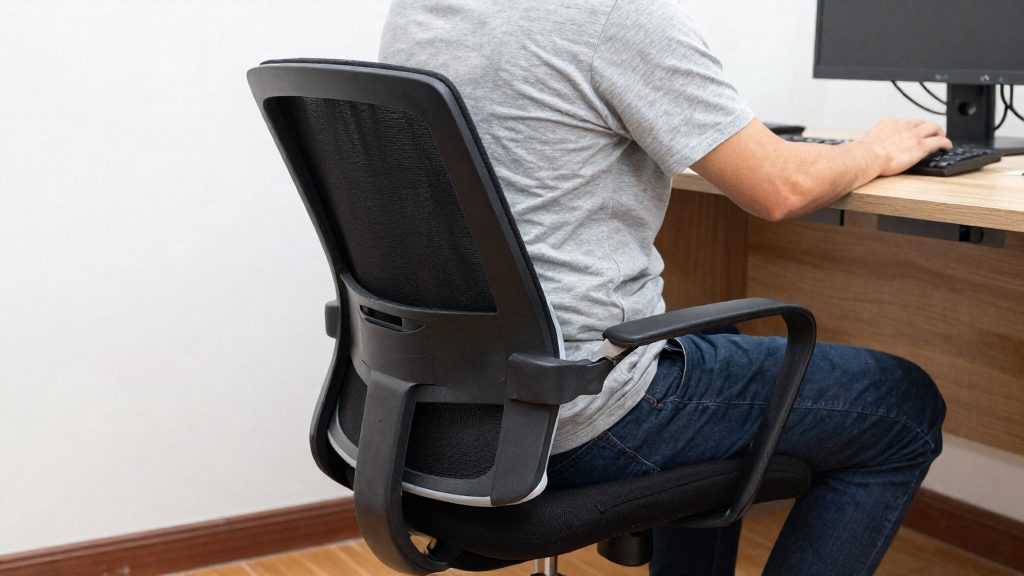
Yes. In the federal public service of Canada, an employee who feels they need an ergonomic assessment can ask their manager for one, and the Government of Canada states that no medical certificate is required for the request. The sections below cover who can ask, what the request involves, what the assessment includes and what happens with recommended equipment.
Can you ask your employer for an ergonomic assessment?
Eligibility in the federal public service depends on the employee’s own judgement that an assessment is needed. You do not have to wait for a reported injury or a diagnosis before asking. The official sources consulted do not specify equivalent eligibility rules for private-sector employers or for other jurisdictions, so check your employer’s internal policy if you work outside the federal public service.
What the request requires is a conversation with your manager. Describe the discomfort, the tasks or hours during which it occurs, and the equipment or workspace involved, so the manager can determine what to arrange.
What follows once the assessment is arranged is the sequence below:
| Stage | What happens |
|---|---|
| Assessment | An individual workstation assessment, carried out by an ergo-therapist. |
| Report | The ergo-therapist provides a written report with findings and recommendations. |

What the law says about workplace ergonomics
In Canada, the main legal duty on workplace ergonomics for federally regulated employees comes from Part II of the Canada Labour Code. According to the Government of Canada, section 125(1)(t) requires federally regulated employers to ensure that the workplace, workspaces and procedures meet prescribed ergonomic standards. The duty rests on the employer.
The employer duty under s.125(1)(t)
Section 125(1)(t) covers three elements:
- The workplace: the physical environment in which work is carried out.
- Workspaces: individual work areas, such as a desk and the space around it.
- Procedures: the way tasks are organized and performed.
The provision applies to all three, so a compliant setup depends on both equipment and how work is structured.
Prescribed ergonomic standards
The official sources consulted do not specify the content of the prescribed ergonomic standards referred to in section 125(1)(t). Before raising a concern, you can therefore verify compliance against the requirement itself rather than against a specific measurement. Note which element of your work environment you believe does not meet the requirement, such as the monitor position, the chair or the way your tasks are organized.
Scope: federal and provincial employers
Part II of the Canada Labour Code applies to federally regulated employers. Employers under provincial jurisdiction fall under their province’s occupational health and safety legislation instead.
| Employer type | Governing framework |
|---|---|
| Federally regulated employer | Canada Labour Code, Part II (s.125(1)(t) ergonomic duty) |
| Provincially regulated employer | Provincial occupational health and safety legislation |
The official sources consulted do not compare the ergonomic provisions of the two regimes. Do not assume that a provincial rule matches section 125(1)(t) word for word. To confirm which regime applies to you, check with your employer’s human resources department or with the relevant labour authority.
How to submit your request step by step
The sequence below is the internal procedure of one employer, Simon Fraser University, a single British Columbia university. Other employers may use a different order or different requirements. Step 1 and Step 2 come from the Simon Fraser University procedure, Step 3 is general record-keeping advice, and Step 4 reflects the federal public service process, where the request goes to your manager.
Step 1: Report the concern to your supervisor
Supervisor first. At Simon Fraser University, employees must first report ergonomic concerns to their supervisor. Describe the specific discomfort, such as neck or lower-back strain, and the tasks that trigger it. A clear description helps your supervisor judge whether the issue is a workstation problem.
Step 2: Complete the online self-assessment checklist
At Simon Fraser University, office assessments require the employee’s online self-assessment checklist. Complete it before the assessment and keep a copy of your answers. The checklist gives the assessor information about your current set-up before they arrive.
Step 3: Keep a written record of the request
Written record (general advice). Note the date, the concern you raised, the person you raised it with, and any reply you received. The official sources consulted do not specify a required template or retention period, so a simple dated note or email is sufficient for your own tracking.
Step 4: Submit the formal request
In the federal public service, the request goes directly to your manager, and Steps 1 and 2 do not apply. At other employers, submit the request through the channel your organization uses, after any preliminary steps it requires.
| Step | Action | Basis in sources |
|---|---|---|
| 1 | Report the concern to your supervisor | Required first at Simon Fraser University |
| 2 | Complete the online self-assessment checklist | Required for office assessments at Simon Fraser University |
| 3 | Keep a dated written record | General advice; the official sources consulted do not specify a format |
| 4 | Submit the request to your manager | Federal public service (Government of Canada) |
What happens during an assessment?
An individual workstation assessment is an in-person review of your desk setup. The process has three stages: a request to the employer, the assessment itself, and a written report with findings and recommendations. Each party has a defined role, and the exact steps depend on the employer’s internal procedures.
Stages of the process
- Initial reporting. The employee reports the concern, and at Simon Fraser University completes the online self-assessment checklist (see the previous section).
- Workstation review. The assessor reviews the workstation with the employee on site.
- Written report. After the review, the assessor provides a written report listing findings and recommendations (Government of Canada).
Roles in the process
| Party | Role |
|---|---|
| Employee | Reports the ergonomic concern to the manager and, at Simon Fraser University, completes the online self-assessment checklist before an office assessment |
| Manager | Receives the request (Government of Canada) |
| Assessor (ergotherapist in the federal public service) | Carries out the individual workstation assessment and writes the report with findings and recommendations (Government of Canada) |
Contents of the report
The Government of Canada describes the report as containing findings and recommendations. The official sources consulted do not specify a fixed template, length, or delivery deadline for the report.
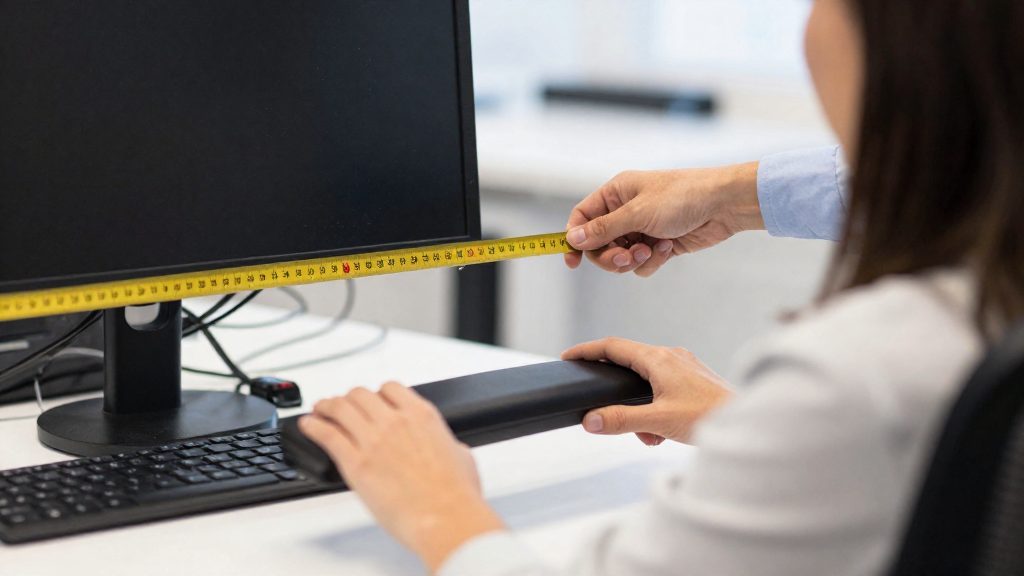
Home office and telework assessments
The sources describe a virtual format for assessing a secondary work location, in the Simon Fraser University procedure, but they do not detail which points are checked. The Simon Fraser University procedure describes a virtual format for a secondary work location.
How remote assessments differ from office assessments
| Aspect | On-site workstation assessment | Virtual assessment of a secondary location |
|---|---|---|
| Format | In person at the workstation (federal public service) | Over Zoom (Simon Fraser University, EHS) |
| Typical duration | About one hour (Government of Canada) | Not specified by the official sources consulted |
| Who receives the report | Not specified by the official sources consulted | The employee and the supervisor (Simon Fraser University, EHS) |
The main practical difference is that the assessor sees your workspace through a camera, not in the room. You therefore need to show the full desk, the chair, and the monitor position from the angles the assessor requests.
Home workspace layout checks
The sources describe the Zoom format but do not detail which points the assessor checks remotely. The official sources consulted do not specify how a remote assessor measures screen angles on camera.
Who receives the outcome
In the Simon Fraser University process, the report goes to both the employee and the supervisor. This gives you a written record of the findings and recommendations, and gives your manager the same information when deciding on follow-up.
Quick workstation checks before the assessment
Before you request an ergonomic assessment from your employer, you can run three self-checks on your screen setup. The reference values below come from the Canadian Centre for Occupational Health and Safety (CCOHS). Each check takes a few minutes, and noting the results gives your manager and the assessor a concrete starting point.
Monitor height is the first check. The top edge of the screen should sit at or below eye level, so your gaze falls slightly downward toward the display. Sit upright in your usual chair, look straight ahead, and note where your eyes meet the screen. If you have to tilt your head back to read the top line, the monitor is too high.
Monitor tilt and distance is the second check. CCOHS advises placing the monitor about 15 degrees below eye level, at roughly arm’s length. Estimate the angle from your eyes to the centre of the screen and compare it with about 15 degrees. For distance, extend your arm toward the screen as a rough guide: the screen should be at about arm’s length.
Text size is the third check. If text is hard to read, CCOHS recommends increasing the font size rather than moving closer to the screen. Raise the display zoom or font setting one step at a time until characters are legible from your normal seated position.
| Check | Reference value (CCOHS) | How to verify at your desk |
|---|---|---|
| Top of screen | At or below eye level | Sit upright and look straight ahead; the top edge should not rise above your eyes |
| Monitor angle | About 15 degrees below eye level | Measure the angle from your eyes to the centre of the screen, for example with an inclinometer app |
| Viewing distance | Roughly arm’s length | Extend your arm; your fingertips should reach the screen without leaning forward |
| Text readability | Enlarge the font instead of leaning in | Increase the font size until text is readable from your normal seated posture |
Equipment, follow-up and accommodation
When an assessment recommends equipment, the decision and the purchase move from the assessor to the employer. In the federal public service, according to the Government of Canada, the process follows a fixed order: the assessment identifies the equipment, the manager discusses it with the employee, and the manager then buys it.
Discussing recommended equipment
If equipment is recommended, your manager discusses it with you before the order is placed. Use this conversation to check that the item suits your tasks, your desk and your daily hours. Ask about dimensions, adjustment range and how it will be set up, because these points determine whether the equipment will fit your workstation.
Who pays for equipment
In the federal public service, according to the Government of Canada, the manager buys recommended equipment after discussing it with the employee. This is not established for other employers, so check your employer’s policy. If a request is refused or the outcome is disputed, contact your human resources department. You can also consult your union representative or the workplace health and safety committee if there is one, or seek legal advice.
Follow-up after changes
Review the workstation once the new equipment has been used for a normal working period, and note any discomfort that remains. The official sources consulted do not specify a follow-up interval. For a secondary work location, Simon Fraser University’s Environmental Health & Safety can assess the workstation virtually over Zoom, which allows a follow-up without an on-site visit.
Frequently asked questions
Do you need a medical certificate to ask for an ergonomic assessment?
In the federal public service of Canada, the Government of Canada states that you can ask your manager for an ergonomic assessment without a medical certificate. The official sources consulted do not specify equivalent rules for private-sector employers or other jurisdictions, so check your employer’s internal policy.
How long does a workstation assessment take, and what does it produce?
According to the Government of Canada, an individual workstation assessment by an ergo-therapist takes about one hour in the federal public service. The ergo-therapist then produces a written report that lists the findings and the recommended changes.
What can you do if the request is refused or you disagree with the outcome?
The official sources consulted do not describe a refusal procedure for the federal public service. If you disagree with the outcome, contact your human resources department, your union representative, or the workplace health and safety committee where one exists.